For millions of Indian businesses, TallyPrime is the engine behind accounting, GST compliance, payroll, and financial reporting. But as workplaces evolve and remote operations become the norm, one question is on every business owner’s mind: Should I continue with On-Premise Tally or shift to Tally on Cloud?
This guide gives you a clear, no-jargon comparison so you can confidently choose the right Tally deployment model for your business in 2026.
Understanding On-Premise Tally
With an on-premise setup, TallyPrime runs on local desktops or servers located within your office. All accounting data is stored on-site, and access is limited to employees connected to the office network.
Advantages of On-Premise Tally
- Complete control over your IT systems and data
- A good fit for single-office businesses with stable, in-house infrastructure
- Works without internet dependency — ideal for locations with poor connectivity
- Flexibility to manage updates on your own schedule
Limitations of On-Premise Tally
- Access restricted to the office environment only
- High upfront cost for servers, hardware, and IT setup
- Manual effort required for data backup and recovery
- Difficult and expensive to expand for multiple users or branches
Understanding Tally on Cloud
Tally on Cloud hosts your TallyPrime software on a secure, managed cloud server — replacing the need for local installation. Users can log in anytime, anywhere, from a desktop, laptop, tablet, or smartphone, through a simple and secure internet connection.
Tally 5 star partners in Mumbai like Software@Work (SAW India) take care of everything: infrastructure, security, backups, and software updates — so your team focuses on business, not IT.
Advantages of Tally on Cloud
- Anywhere, anytime access for owner. employees, auditors, and CAs
- Eliminates expensive servers and dedicated IT staff
- Automatic backups and disaster recovery for Data security
- Instantly scalable as your workforce or branches grow
- Enhanced data security with encryption, firewalls, and cyber protection
- Subscription-based pricing — often more affordable than maintaining on-premise infrastructure
- Works on multiple devices — desktop, laptop, tablet, or smartphone
- Software updates and maintenance fully handled by the service provider
Limitations of Tally on Cloud
- Requires a reliable internet connection
- Involves ongoing subscription fees rather than a one-time setup cost
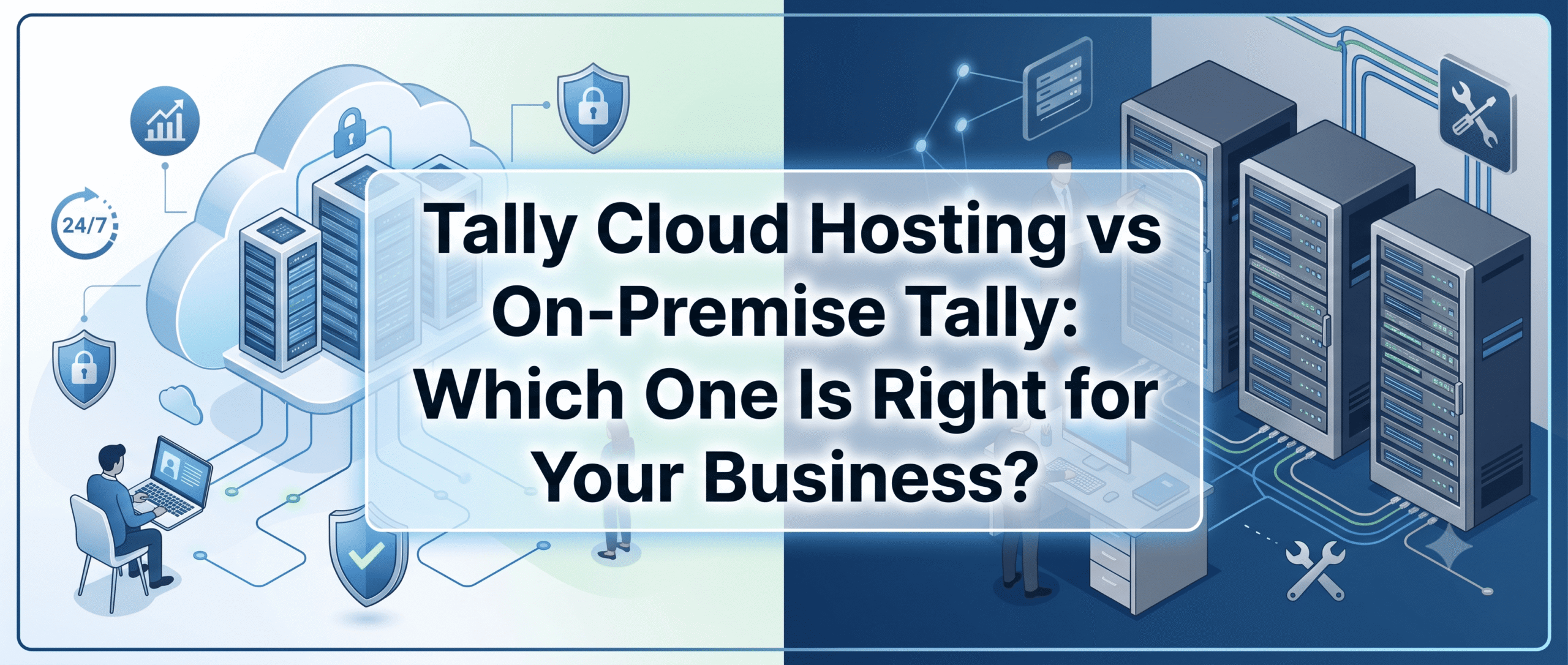
Tally on Cloud vs On-Premise Tally: Quick Comparison
| Feature | On-Premise Tally | Tally on Cloud |
|---|---|---|
| Accessibility | Restricted to office LAN | Remote access from any device |
| Setup Cost | High (hardware + IT team) | Low (subscription-based) |
| Scalability | Needs additional infrastructure | Instantly scalable on demand |
| Data Security | Depends on in-house IT safeguards | Advanced encryption, firewalls & automated backup |
| Collaboration | Limited to one physical location | Multi-user access & remote collaboration |
| Maintenance | Manual upgrades, downtime risk | Fully managed by cloud provider |
| Business Continuity | Risk of data loss from hardware failures | Built-in backup & disaster recovery |
| Best For | Small firms with single-office setups | SMEs, CAs, and growing multi-location businesses |
Why Businesses Are Choosing Tally on Cloud?
The shift to cloud isn’t a trend — it’s a practical business decision. Here’s why thousands of Indian businesses are making the move:
- Online access for employees, CAs, and auditors — from anywhere, on any device
- No server ownership burden — zero hardware procurement, maintenance, or replacement costs
- Data is always protected with automated backup and rapid recovery solutions
- Lower long-term costs compared to sustaining on-premise infrastructure and IT staff
- Supports digital transformation and cloud-first business operations across India
Who Should Choose On-Premise Tally?
On-premise deployment still makes sense if your business:
- Operates in an area with consistently poor or no internet connectivity
- Has strict data governance policies requiring all financial data to remain physically on-site
- Already has a robust in-house IT team managing all infrastructure
- Runs a single-location setup with a small, stable team
Who Should Choose Tally on Cloud?
Tally on Cloud is the right fit if your business:
- Has employees, accountants, or auditors working from home or multiplication
- Operates across multiple branches or offices
- Wants to eliminate server hardware costs and IT management responsibilities
- Needs reliable, automatic data backups and enterprise-grade security
- Is a growing SME looking for a scalable, cost-effective accounting solution
Why Choose Software@Work for Tally on Cloud?
At Software@Work (SAW India), we have been empowering Indian businesses with smart technology solutions for over 30 years. Our Tally Cloud services is hosted on enterprise-grade data centers with servers purpose-built and optimized for TallyPrime performance.
What you get with Software@Work:
- 99.9% uptime guarantee for uninterrupted access
- Fully managed infrastructure — no IT headaches
- Automatic daily backups with rapid disaster recovery
- Role-based user access and multi-user collaboration
- Local printer compatibility for seamless office operations
- Dedicated support from certified Tally professionals
Whether you’re a startup, a growing SME, or a multi-location enterprise, we have a Cloud based Tally plan tailored to your needs.
Final Verdict: Which One Should You Choose?
For businesses tied to a single office with stable infrastructure and no remote access needs, on-premise Tally can still work. But for most modern Indian businesses — especially SMEs, CAs, and growing companies — Tally on Cloud is the smarter, more future-ready choice.
It reduces infrastructure costs, empowers remote work, protects your data, and scales with your business — all on a simple subscription model.
Ready to experience the freedom of Tally on Cloud? Get in touch with Software@Work today and let our certified experts guide you through a smooth, hassle-free migration.
Discover what users are saying about Software@Work and explore real customer experiences, ratings, and feedback to make informed business decisions.
https://www.g2.com/products/software-work/reviews
FAQ
Q1: Can I access Tally on Cloud from my mobile or tablet?
Yes. Tally on Cloud works on any device — desktop, laptop, tablet, or smartphone — as long as you have an internet connection.
Q2: Is my financial data safe on the cloud?
Yes. Cloud-hosted Tally uses advanced encryption, firewalls, and automated daily backups, offering stronger protection than most in-house setups.
Q3: What happens if my internet goes down?
You won’t be able to access Tally on Cloud without internet. If your area has unreliable connectivity, on-premise Tally may be a better fit.
Q4: Is Tally on Cloud more expensive than on-premise?
Not in the long run. While cloud uses a subscription model, it eliminates upfront hardware costs, IT staff expenses, and maintenance — making it more cost-effective for most SMEs.
Q5: Can multiple users or branch offices access the same Tally data simultaneously?
Yes. Tally on Cloud supports multi-user access and remote collaboration, making it ideal for businesses with multiple branches, remote accountants, or CAs.