Quick Guide to GST Automation and E-Invoice Integration
Automate your GST compliance and e-invoicing in Tally Prime Software to save time, reduce errors, and ensure 100% accuracy. Here’s your essential guide for 2026.
Enable GST Features
Press F11 from Gateway of Tally, go to Statutory & Taxation, and enable GST. Enter your GSTIN details and enable both e-Invoice and e-Way Bill features. Create CGST, SGST, and IGST ledgers with auto-calculation enabled. Add HSN/SAC codes to all stock items for automatic tax computation.
Automate E-Invoice Generation
Setup
Configure e-Invoice in F11 > Statutory & Taxation > e-Invoice. Enter API credentials for Invoice Registration Portal (IRP) integration.
Generate E-Invoices
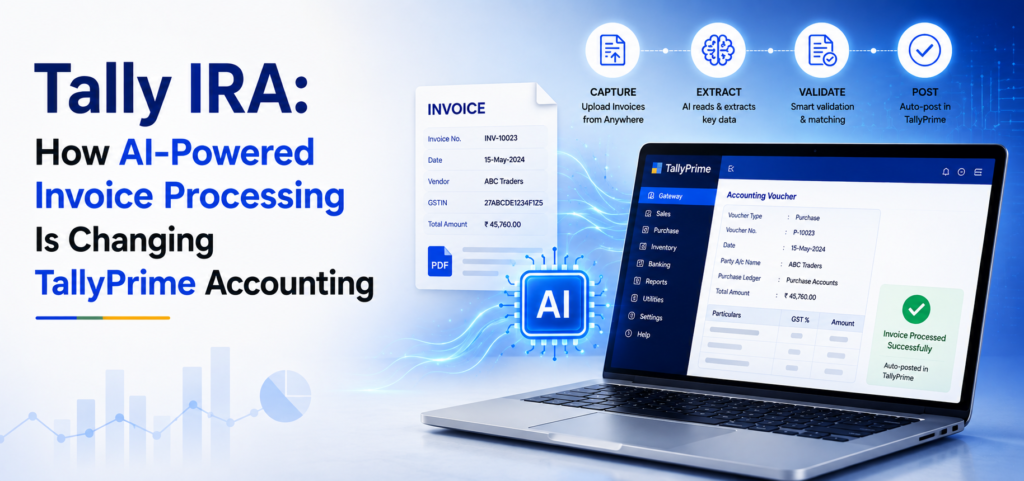
Create sales invoice (F8) with party GSTIN and HSN-coded items. Press Alt + P and select e-Invoice. TallyPrime generates JSON, connects to IRP, and retrieves IRN and QR code automatically. Generate bulk IRNs for multiple invoices simultaneously.
Cancel E-Invoices
Press Alt + E on any invoice, select cancellation reason, and submit within 24 hours of generation.
E-Way Bill Automation
Enable e-Way Bill in F11 > Statutory & Taxation. Create transporter and vehicle masters. For goods movement above ₹50,000, create invoice with transport details and press Alt + W. TallyPrime auto-fills data, calculates distance and validity, then generates EWB number instantly.
Automate GST Returns
GSTR-1
Go to Display > Statutory Reports > GST Reports > GSTR-1. Select period and TallyPrime auto-compiles B2B, B2C invoices, exports, and HSN summary. Generate JSON file for portal upload with built-in validations for duplicates and errors.
GSTR-3B
Access GSTR-3B from GST Reports. TallyPrime automatically calculates tax liability, ITC claims, reverse charge entries, and interest. Download ready-to-file JSON.
GSTR-2B Reconciliation
Import GSTR-2B into TallyPrime. System auto-matches invoices and highlights mismatches by category. Review reports, contact suppliers, and correct discrepancies before claiming ITC.
Advanced Automation Features
Auto Tax Calculation: Enable auto-fill tax details in F11. The system calculates GST based on HSN codes, party location, and transaction type.
Place of Supply: Tally Prime Solution auto-detects based on delivery address, ensuring correct IGST/CGST/SGST application.
Reverse Charge: Enable RCM in party ledger. TallyPrime creates liability and ITC entries automatically.
Multi-State: Configure multiple GSTINs. The system auto-selects correct GSTIN and generates state-wise reports.
Workflow Automation
Scheduled Reports: Configure automatic report generation in F12 > Configure. Set daily/weekly/monthly schedules for GST reports with auto-email.
Error Alerts: Enable alerts for missing GSTIN, incorrect HSN codes, e-invoice failures, and e-way bill expiry in F12 > Alerts.
API Integration: With Tally Prime API integration, credentials for real-time IRN generation, bulk processing, and automatic status updates without manual portal access.
Best Practices
- Maintain updated GSTIN database and HSN codes
- Reconcile GSTR-1 monthly and GSTR-2B weekly
- Generate returns 2-3 days before deadlines
- Enable TallyVault and take daily backups
- Set calendar reminders for compliance dates
- Train staff on automation features (Can be interlinked to )
Quick Shortcuts
- Alt + G: GST Details
- Alt + P: E-Invoice Print
- Alt + W: E-Way Bill
- Alt + E: E-Invoice Status
- F12: GST Configuration
Common Issues Solved
E-Invoice Failed: Check GSTIN validity and internet connection
HSN Errors: Update items with correct HSN codes
Reconciliation Gaps: Contact suppliers and verify invoices
EWB Errors: Create transporter masters with vehicle details
Results
Businesses report 70% less data entry time, 90% fewer errors, 50% faster filing, zero late penalties, and 100% ITC accuracy with TallyPrime automation.
Conclusion
Tally Prime solution for GST automation transforms compliance into a streamlined process. Enable features, configure masters correctly, use bulk processing, and maintain regular reconciliations. Start automating today for error-free, efficient GST management in 2026.
FAQs
Q: Is e-invoicing mandatory?
Yes, for businesses with ₹5+ crore turnover.
Q: Can I generate bulk e-invoices?
Yes, TallyPrime supports bulk IRN generation.
Q: How to update GST rates?
Modify tax ledgers; apply automatically to new transactions.
Q: Direct filing possible?
Generate JSON in TallyPrime, upload to a portal, or use API.